
T-shirt printer allows you to wear a different style in summer.
As one of the most popular wardrobe essentials for summer, T-shirts continue to rank among the best-selling apparel items. Why are T-shirts loved by so many people? The answer is simple—they are suitable for people of all ages and genders, comfortable to wear, stylish, and affordable for almost everyone. No matter who you are, your wardrobe probably contains at least one T-shirt. A T-shirt printer, also known as a digital garment printer or universal flatbed printer, refers to the same type of machine. It uses a non-contact direct inkjet printing process to print specially formulated textile inks directly onto garments. The inks are environmentally friendly, safe, odor-free, and gentle on the skin. Since the ink adheres only to the surface of the fabric, it does not affect the texture or comfort of the garment.
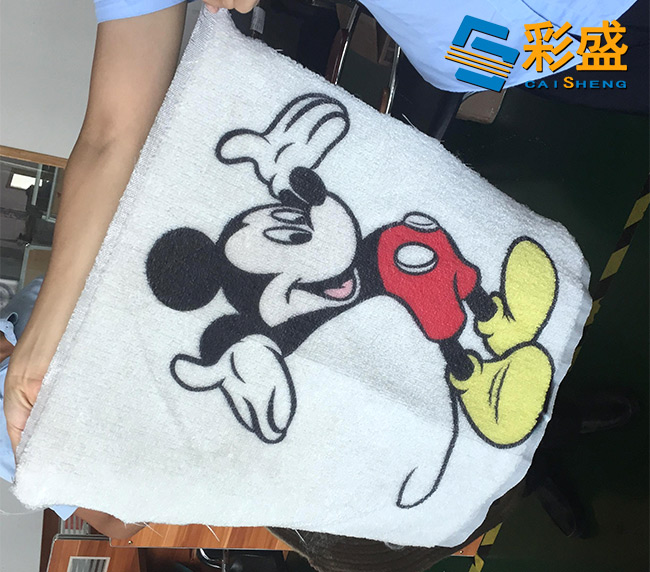
The operating principle of a T-shirt printer is very similar to that of a standard printer. The difference is that while ordinary printers can only print on paper, a T-shirt printer features a flat printing platform that allows direct printing on the surface of various objects. It uses specially developed textile inks that are skin-friendly, odorless, supported by MSDS certification, and compliant with European export standards, making them genuinely safe and environmentally friendly. After printing, the garment is heat-cured, producing prints that resist fading even after repeated washing. The colors remain vibrant and durable over time. For anyone interested in creating personalized T-shirts, a T-shirt printer is an excellent investment. It requires relatively low initial investment, offers high value-added products, provides a fast return on investment, and features an integrated, user-friendly design that is easy to learn for anyone with basic computer skills.
Another advantage is its versatility. During seasons when T-shirt demand decreases, the printer can simply be switched to a different type of ink, allowing it to print on mobile phone cases, glass, ceramic tiles, metal, and many other materials. This truly enables multiple applications with a single machine. Regardless of the fabric type or garment color, our T-shirt printer delivers excellent printing results. Built with a genuine imported Epson printhead system, it can print directly onto virtually any fabric without requiring heat transfer paper or screen plate making. Even single-piece production is economical and efficient.
The T-shirt printer supports full-color, plate-free printing on garments of virtually any color, including black, red, white, and many others. White ink and full-color gradients can be printed in a single production process. The printed images achieve a wash fastness rating of Grade 3–4, fully meeting international standards. The environmentally friendly inks comply with the highest European testing requirements. The printer connects directly to a computer via USB, and dedicated RIP software allows users to adjust image size and position before sending the print job. The operation is straightforward, requires no screen plate production, and produces full-color prints in a single process. Compared with traditional printing methods, the printed images offer brighter colors, a softer hand feel, better breathability, excellent durability, and outstanding resistance to fading, peeling, and cracking. Below are the basic printing procedures and important operating notes for T-shirt printing.
Printing Procedure for Dark-Colored Garments
For best results, use cotton fabric with a relatively short fiber surface. Set the heat press temperature to approximately 167°C.
1. Heat press the garment for approximately 5 seconds to flatten the fabric.
2. Spray the garment pretreatment solution evenly onto the printing area while holding the spray nozzle vertically at a 90-degree angle.
3. If droplets remain after spraying, gently smooth them with a sponge brush.
4. In the RIP software, select the "Black Garment Printing" mode and print the white base layer.
5. Print the full-color image.
6. After printing, first cure the printed surface with a heat press for approximately 120 seconds. Then cover the print with high-temperature protective paper and continue pressing for approximately 180 seconds.
7. Apply a final heat press for 10–15 seconds to firmly bond the pretreatment solution and ink with the fabric fibers.
8. Secure the garment onto the printing platform and ensure the printing surface remains flat before starting the printing process.


